
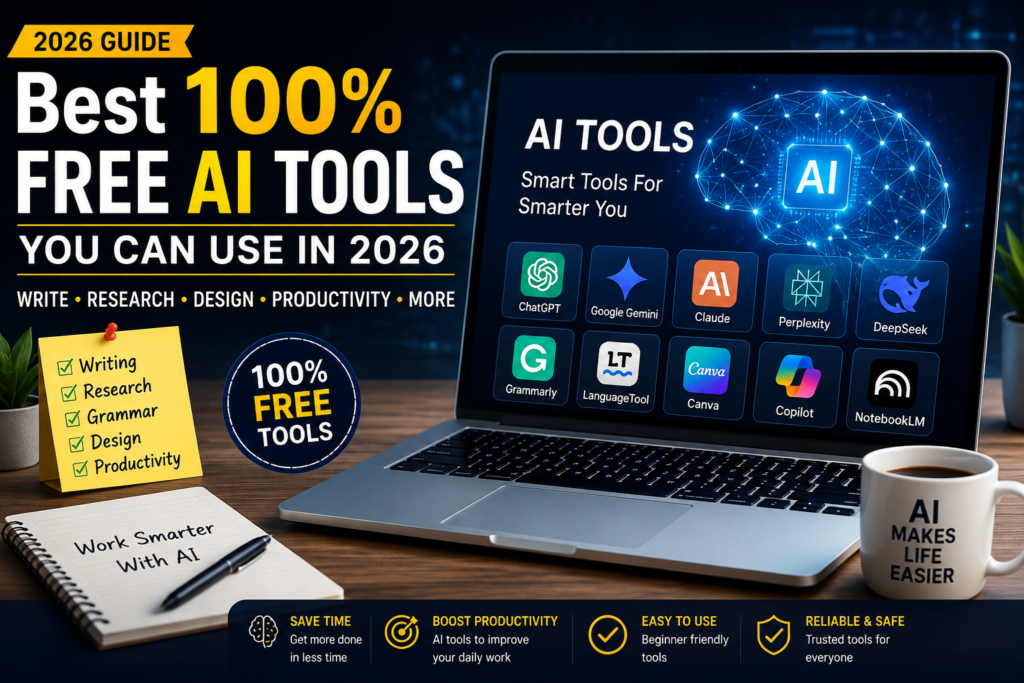
Artificial intelligence has become one of the most useful technologies for students, bloggers, content creators, freelancers, business owners, and everyday internet users. The good news is that you do not always need to spend money on expensive AI subscriptions. In 2026, several powerful AI platforms offer free versions that can handle writing, research, design, brainstorming, coding, image creation, and many other tasks.
How ever, Free AI tools 2026 are making it easier for students, bloggers, content creators, freelancers, and business owners to work faster and more efficiently.there is an important difference between a completely free service and a free plan. Many popular AI tools provide free access with daily, weekly, or monthly limits. Therefore, users should always check the current terms before depending on a tool for professional work. Free plans and their limits can change frequently.
Here are some of the best free AI tools worth trying.
If you are new to AI, you can also learn more from our guide to AI tools for beginners.
Best Free AI Tools 2026 for Beginners
1. ChatGPT
For current features and usage information, you can check the official ChatGPT information before using the service.
ChatGPT is one of the most popular AI assistants available today. The free version can be useful for writing articles, generating ideas, creating outlines, explaining difficult topics, summarizing information, improving grammar, and helping with everyday tasks.
For bloggers, ChatGPT can help create article structures, headlines, introductions, FAQs, social media captions, and content ideas. It can also help beginners understand complicated subjects in simple language.
The best way to use ChatGPT is not to simply copy the first answer it provides. Instead, give it clear instructions about your audience, writing style, topic, and purpose. Then review and improve the result before publishing it.
2. Google Gemini
Google Gemini is another powerful AI assistant that offers a free version. It can help users brainstorm ideas, write content, summarize information, answer questions, and work with Google’s ecosystem.
Gemini can be particularly useful for people who already use services such as Google Docs and other Google products. Current free-AI comparisons also highlight Gemini as one of the stronger free options for general productivity and writing.
For bloggers, Gemini can be used to create article outlines, generate title ideas, rewrite paragraphs, and develop content plans.
3. Claude
Claude is another excellent AI assistant for writing and long-form content. It is known for producing natural-sounding text and can be useful when you need help organizing large amounts of information.
You can use the free version for brainstorming, writing drafts, editing text, explaining concepts, and creating structured documents.
One useful workflow is to write your basic ideas yourself and then ask Claude to organize them into a clearer article. This can help you maintain your own ideas while using AI to improve structure and readability.
4. Perplexity
Perplexity is particularly useful when you need to research a topic before writing about it. Unlike a traditional writing assistant, it focuses heavily on finding information and presenting sources.
This makes it useful for bloggers who want to research facts before creating an article. Free versions can provide web-based research capabilities, although specific limits may apply.
A good workflow is simple: research a topic with Perplexity, check the sources yourself, collect the important facts, and then use an AI writing assistant to organize your original article.
Remember that AI-generated information can sometimes contain mistakes. Important facts should always be verified against reliable sources.
5. Grammarly
Grammarly is useful for checking grammar, spelling, punctuation, clarity, and general writing quality.
If English is not your first language, a tool like Grammarly can be especially helpful. You can write your article first and then use the free version to identify mistakes.
AI should not replace your own writing completely. Instead, use grammar tools as a second pair of eyes that helps you make your writing cleaner and easier to understand.
6. LanguageTool
LanguageTool is another useful writing and grammar assistant. It can identify spelling, grammar, punctuation, and style problems.
It is a good alternative if you want a simple editing tool without depending entirely on one AI platform.
For website owners, a practical workflow is to create your first draft, check the information, edit the article manually, and then run the final version through a grammar checker.
7. Canva
Canva is popular among bloggers, YouTubers, social media creators, and small businesses because it makes graphic design easier for beginners.
Its free plan provides many design features, templates, and creative tools. AI features may vary depending on the account and current plan.
You can use Canva to create blog graphics, YouTube thumbnails, Pinterest images, social media posts, presentations, banners, and simple promotional designs.
The biggest advantage is that you do not need professional graphic-design experience to create attractive visuals.
8. Microsoft Copilot
Microsoft Copilot is another AI assistant that can help with writing, brainstorming, summarizing, and general questions.
It can be useful for people who regularly work with Microsoft’s ecosystem. However, free features can change over time, so users should check Microsoft’s current offering before relying on a particular feature.
As with other AI assistants, Copilot works best when you provide a clear prompt rather than a very short instruction.
9. NotebookLM
NotebookLM is useful when you have your own documents or research material and want AI assistance based on those sources.
For example, you can work with notes, documents, research materials, or other supported information and ask questions about the material.
This can be especially useful for students, researchers, writers, and bloggers who need to understand a large amount of information before creating content.
Instead of asking an AI to invent information, you can provide reliable source material and use AI to help organize and understand it.
10. DeepSeek
DeepSeek is another AI assistant that has become popular among users looking for free AI capabilities.
It can be useful for general questions, brainstorming, writing, reasoning, and coding-related tasks.
As with every free AI service, availability, limits, and features can change. Therefore, users should check the current service conditions before building an important workflow around it.
How to Build a Completely Free AI Workflow
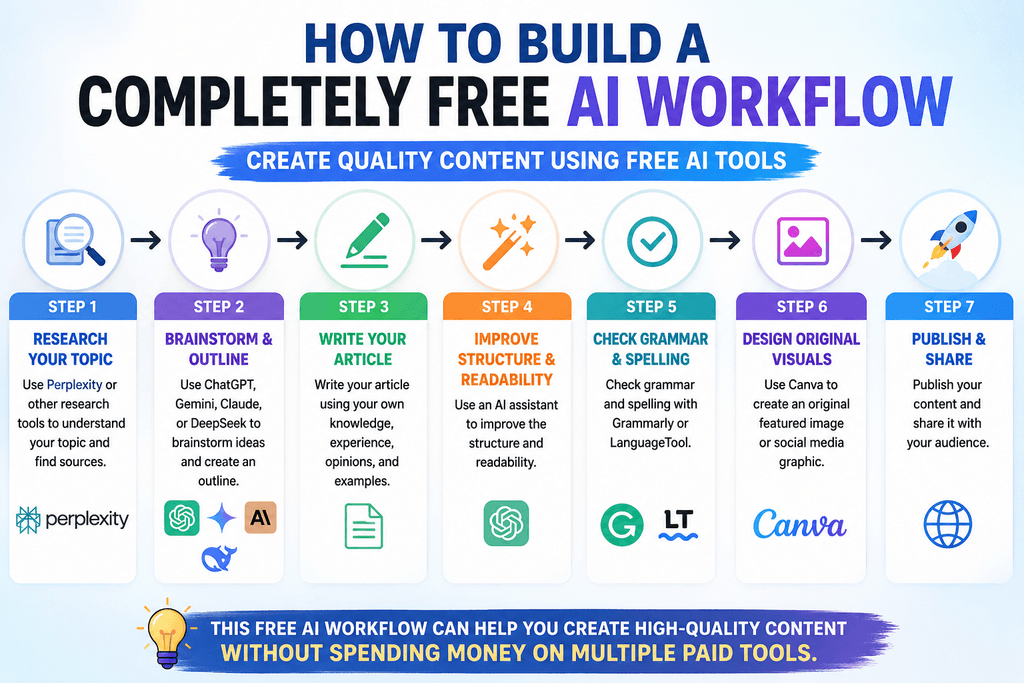
You do not need ten different paid subscriptions to create useful content.
A simple free workflow can look like this:
First, use Perplexity or another research tool to understand your topic and find sources.
Second, use ChatGPT, Gemini, Claude, or DeepSeek to brainstorm ideas and create an outline.
Third, write your article using your own knowledge, experience, opinions, and examples.
Fourth, use an AI assistant to improve the structure and readability.
Fifth, check grammar and spelling with Grammarly or LanguageTool.
Finally, use Canva to create an original featured image or social media graphic.
This workflow can reduce the need for multiple paid services.
If you are new to AI, you can also learn more from our guide to AI tools for beginners.
Can You Copy and Paste AI Content Directly?
Technically, you can copy AI-generated text, but publishing it without checking or editing it is not a good strategy.
AI can produce incorrect facts, repetitive sentences, generic expressions, or information that does not properly match your audience.
A better approach is to use AI as an assistant rather than treating it as a replacement for your own judgment.
Add your own examples, opinions, experiences, explanations, comparisons, and useful information. Fact-check important claims and remove anything that is inaccurate or unnecessary.
This makes the final article more useful and more genuinely yours.
Is Free AI Really Free?
This is where users need to be careful.
Most popular AI services offer a free tier rather than unlimited free usage. Some may have message limits, generation limits, slower access, or certain premium features that require payment. Free-plan limits can also change as companies update their services.
Therefore, instead of searching only for an “unlimited free AI tool,” it is better to build a workflow using several reliable free services.
For example, if one tool reaches its daily limit, you may be able to continue your work with another free tool.
Best Free AI Tools You Can Use in 2026
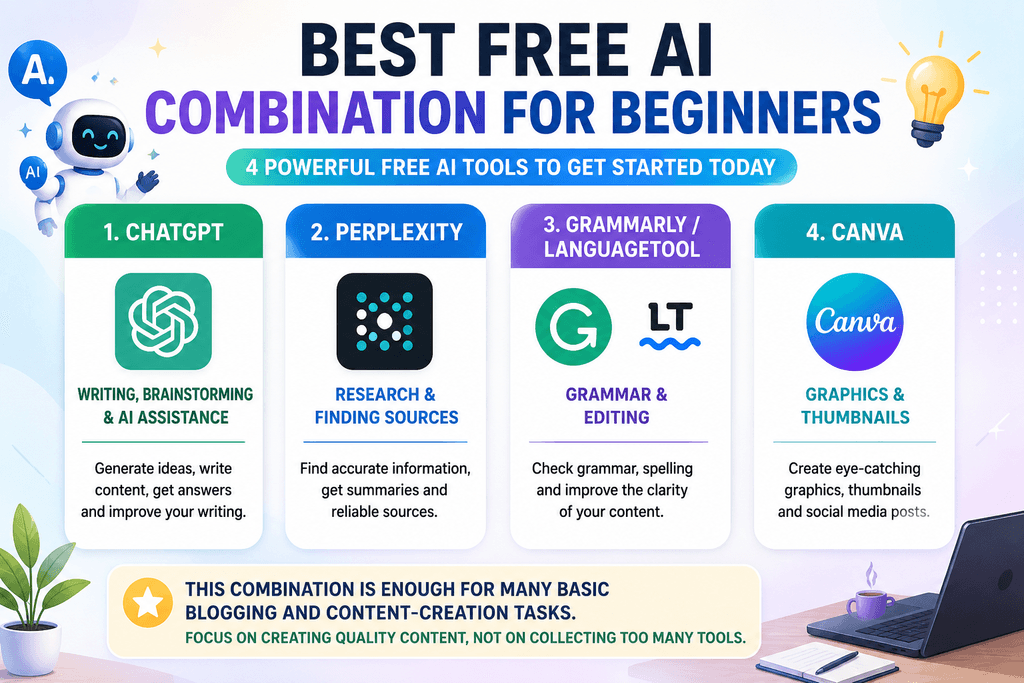
If you are completely new to AI, start with just four tools:
ChatGPT – writing, brainstorming, and general AI assistance.
Perplexity – research and finding sources.
Grammarly or LanguageTool – grammar and editing.
Canva – graphics and thumbnails.
This combination is enough for many basic blogging and content-creation tasks.
You do not need to install dozens of AI applications. Too many tools can actually make your workflow more complicated.
Final Thoughts
Free AI tools have made content creation much more accessible. Students can use them for learning, bloggers can use them for research and writing, creators can use them for graphics, and freelancers can use them to improve productivity.
The most important thing is not the number of AI tools you use. It is how intelligently you use them.
Use AI to generate ideas, organize information, research topics, improve writing, and save time. But always review the final result yourself.
A strong AI workflow combines AI assistance + reliable research + human creativity + fact-checking + editing.
If you are starting a blog in 2026 and want to keep your expenses close to zero, you can begin with free versions of ChatGPT, Gemini, Claude, Perplexity, Grammarly or LanguageTool, and Canva. Free AI comparisons published in 2026 similarly identify these services among the strongest options for writing, research, editing, and design.
The goal should not be to let AI do everything for you. The goal is to use AI as a smart assistant that helps you work faster while you remain responsible for the accuracy, originality, quality, and usefulness of your final content.