
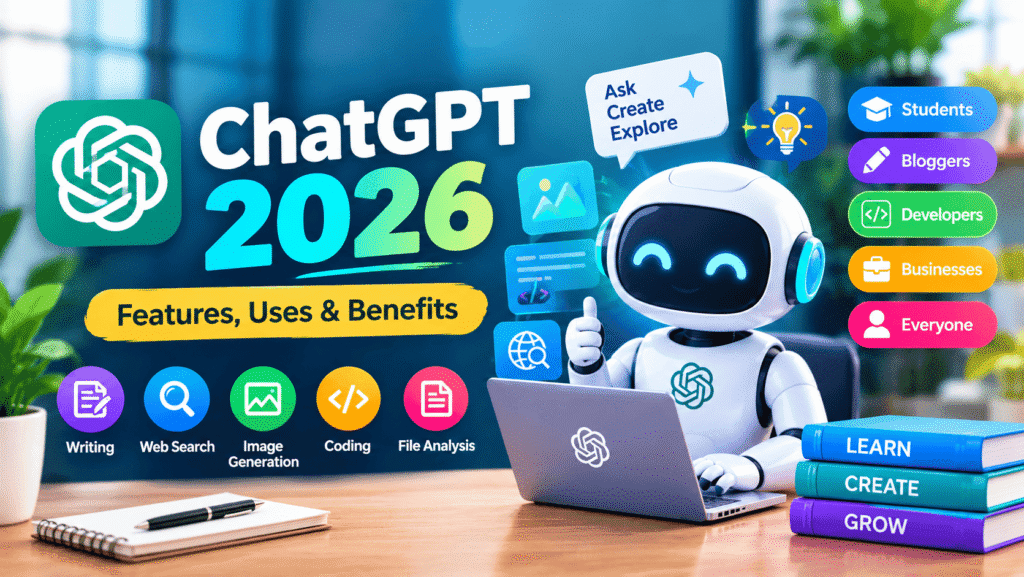
ChatGPT has become one of the most popular artificial intelligence tools for learning, writing, research, coding, creativity and everyday tasks. Developed by OpenAI, this AI assistant provides useful responses based on the context of a conversation.
Whether you are a student, content creator, blogger, developer, business owner or someone interested in artificial intelligence, this AI assistant can help you complete many tasks faster and more efficiently.
In 2026, this AI assistant is much more than a simple question-and-answer tool. Depending on the available features and account plan, users can work with text, images, files, web information, voice and other AI-powered capabilities.https://openai.com/?utm_source=chatgpt.com
What Is ChatGPT?
ChatGPT is an artificial intelligence assistant developed by OpenAI. It allows users to communicate with AI using natural language and continue conversations naturally.
Instead of searching for separate answers to different questions, users can describe what they need and continue the conversation with follow-up questions.
ChatGPT can help with many tasks, including:
- Writing articles and emails
- Rewriting and improving content
- Explaining difficult topics
- Translating text
- Creating ideas
- Helping with coding
- Summarizing information
- Analyzing supported files
- Working with images
- Generating images
- Researching information
- Creating plans and outlines
Features in 2026
Official Website
ChatGPT continues to receive new capabilities that make it useful for personal and professional work.
1. AI Writing
One of the most popular uses of the chatbot is content writing.
Users can ask ChatGPT to create drafts, improve sentences, rewrite paragraphs, generate ideas and organize information.
It can help create:
- Blog posts
- Emails
- Social media posts
- Product descriptions
- Reports
- Study notes
- Video scripts
- Headlines
However, AI-generated content should always be reviewed before publishing. Users should check facts, improve the content and add their own useful information.
2. Web Search
Can use web search for questions that require current information when the feature is available.
This can be useful for recent news, current developments, unfamiliar topics and information that may have changed recently.
Instead of simply asking a question, users can also ask this AI assistant to research a topic and explain the important information in an easy-to-understand way.
3. Image Generation
Can also be used for AI image generation.
Users can describe an image using natural language and ask ChatGPT to create a visual based on their instructions.
For example, a blogger could ask for an illustration for an article about artificial intelligence, technology or digital marketing.
Image generation can be useful for:
- Blog featured images
- Social media graphics
- Creative illustrations
- Marketing concepts
- Educational visuals
- Website graphics
4. File Analysis
Can work with supported uploaded files.
Users can ask questions about a document, summarize information, extract important details or analyze data.
This can be helpful for students, office workers, researchers and business users who regularly work with documents and spreadsheets.
5. Coding Assistance
the chatbot is also useful for programmers and beginners learning to code.
It can help users understand programming concepts, create code examples, identify errors and improve existing code.
the chatbot can assist with technologies such as:
- HTML
- CSS
- JavaScript
- Python
- PHP
- SQL
Generated code should always be tested before being used on a live website or application.
6. Voice Conversations
ChatGPT also supports voice-based conversations in supported experiences.
Voice interaction allows users to communicate with the chatbot by speaking instead of typing.
This can be useful when users want a more natural conversational experience or when typing is inconvenient.
How to Use ChatGPT Effectively
Getting better results from ChatGPT depends on how clearly you describe your request.
For example, instead of asking:
“Write an article about AI.”
you can provide more information:
“Write a beginner-friendly 1,500-word article about AI tools in 2026 with clear headings, examples, FAQs and an SEO-friendly structure.”
The second prompt gives ChatGPT more information about the expected result.
Simple ChatGPT Prompt Formula
A useful prompt can include:
Role + Task + Context + Format + Requirements
For example:
“Act as an SEO content writer. Write a beginner-friendly article about the chatbot 2026. Use clear H2 and H3 headings, natural keyword placement, FAQs and a conclusion.”
Clear instructions generally make it easier to receive a structured response.
Benefits
Can help users save time and improve productivity.
Saves Time
Can create an initial draft, outline or list of ideas instead of requiring users to start from a blank page.
Helps With Learning
Students can ask ChatGPT to explain difficult concepts in simpler language and provide examples.
Supports Creativity
Can generate ideas for blog posts, videos, social media content, stories and marketing campaigns.
Improves Productivity
Professionals can use the chatbot for drafting emails, organizing ideas, summarizing information and preparing documents.
Helps With Different Languages
Can work with multiple languages and can help users translate and improve written content.
For Students
Students can use ChatGPT as a learning assistant.
For example, ChatGPT can help students:
- Understand difficult subjects
- Explain mathematics
- Create revision notes
- Generate practice questions
- Learn programming
- Improve writing
- Translate study material
Students should use ChatGPT as a learning aid rather than simply copying answers. Important information should always be checked using reliable sources.
Bloggers and Content Creators
OpenAI Official Website
the chatbot can be a useful tool for bloggers and content creators.
A content creator can use to develop:
- Article ideas
- Content outlines
- Headlines
- FAQs
- Social media captions
- Video scripts
- SEO content structures
- Meta descriptions
However, publishing generic AI-generated content without editing may not provide the best experience for readers.
Good content should provide useful information, accurate facts, original explanations and clear answers to the reader’s questions.
For Businesses
Businesses can use ChatGPT for many everyday tasks.
For example, it can assist with:
- Customer communication
- Marketing ideas
- Email drafts
- Product descriptions
- Business brainstorming
- Content planning
- Research assistance
- Internal documentation
Businesses should still review AI-generated information before using it for important decisions. ChatGPT Official Website
ChatGPT and Productivity
The biggest advantage of ChatGPT is not simply generating a single answer.
Users can continue the conversation, ask follow-up questions and improve the result step by step.
A simple workflow can be:
Idea → Outline → Draft → Review → Improve → Final Version
This approach can make chatbot much more useful for content creation, learning and professional work.
Is ChatGPT Free?
ChatGPT offers different plans and feature availability can vary depending on the user’s account, plan, region and current product offerings.
Some capabilities are available to free users, while additional features or higher usage limits may be available through paid plans.
Users should check the official AI assistant website for the latest plan and feature information.
Is ChatGPT Safe to Use?
Can be a useful AI assistant, but users should not blindly trust every response.
AI systems can sometimes produce incorrect or outdated information.
For important topics such as financial decisions, legal matters, medical information or business decisions, users should verify information through reliable sources and qualified professionals when appropriate.
Users should also avoid sharing passwords, payment information and other highly sensitive personal information in AI conversations.
ChatGPT vs Traditional Search
Traditional search engines generally provide a list of web pages that users can visit.
ChatGPT provides a conversational experience where users can ask questions and continue with follow-up requests.
Both approaches can be useful.
Search engines are helpful when users want to discover websites and sources, while chatbot can be useful when users want explanations, brainstorming, writing assistance or a conversational workflow.
Frequently Asked Questions About ChatGPT
What is ChatGPT used for?
ChatGPT can be used for writing, learning, coding, brainstorming, research, translation, image-related tasks, file analysis and many everyday productivity activities.
Who created ChatGPT?
Was created by OpenAI.
Can chatbot generate images?
Yes.It supports image generation and image editing capabilities where those features are available.
Can the platform analyze files?
Yes. ChatGPT can work with supported uploaded files for tasks such as summarization, extracting information and analysis.
Can ChatGPT help with coding?
Yes. ChatGPT can help users understand programming concepts, create code examples, identify programming errors and improve existing code.
Is the platform useful for students?
Yes. Students can use ChatGPT for explanations, brainstorming, revision and practice. Important information should always be independently verified.
Can chatbot search the internet?
the platform can search the web in supported experiences when current or source-based information is needed.
Final Thoughts
ChatGPT has become an important artificial intelligence tool for students, professionals, bloggers, developers, businesses and everyday users.
From writing and learning to coding, research, image creation and file analysis, the platform can support many different tasks.
The best way to use the platform is to provide clear instructions, give enough context and carefully review the final response.
As artificial intelligence continues to develop, learning how to use chatboteffectively can help users save time, improve productivity and explore new creative possibilities.
For the latest ChatGPT features and official information, users should always check OpenAI’s official website.