
AI Graphic Design is a modern way to create visual content with the help of artificial intelligence. It can be used to create social media posts, blog images, YouTube thumbnails, advertisements, presentations, posters, and many other types of graphics.
In the past, creating a professional-looking design often required specialized software, design skills, and plenty of time. Today, AI-powered design tools can help beginners create attractive visuals by simply describing what they want.
In this guide, you will learn what AI Graphic Design is, how it works, what you need to get started, and how to create your first AI-assisted graphic step by step.
What Is AI Graphic Design?
Before using an AI design platform, check its official features and usage guidelines to understand how the tool works.
If you are also interested in using AI tools for online income, you can learn more about how to earn money using AI tools in 2026.
AI Graphic Design means using artificial intelligence to assist with the process of creating and editing visual content.
Instead of starting with a completely blank canvas, you can describe your idea to an AI-powered design tool. Depending on the tool, it may generate a design, suggest layouts, recommend templates, create images, or help you edit existing graphics.
For example, if you want to create an Instagram post about artificial intelligence, you could give an instruction such as:
“Create a modern social media post about artificial intelligence tips for beginners.”
The AI may use your instructions to help create a suitable visual concept, including layout, images, typography, and other design elements.
This can make the design process faster, especially for beginners and content creators.
How Does AI Graphic Design Work?
AI graphic design tools use artificial intelligence and related technologies to understand instructions and assist with visual creation.
The basic process can be explained like this:
Your Idea → Text Prompt → AI Analysis → Design Generation → Editing → Final Graphic
1. Give AI Your Design Idea
The first step is to decide what you want to create.
For example, you might need:
- A YouTube thumbnail
- A blog featured image
- An Instagram post
- A Facebook advertisement
- A business poster
- A presentation slide
The clearer your goal is, the easier it becomes to give the AI useful instructions.
2. Write a Clear Prompt
A prompt is the instruction you give to an AI tool.
For example:
“Create a professional blog banner about AI tools for beginners with a modern technology style and clean layout.”
This tells the tool about the topic, audience, and visual direction you want.
A detailed prompt can often give you more control over the final result.
3. AI Generates or Suggests Design Elements
Depending on the tool, AI may generate images, suggest templates, create layouts, recommend design elements, or help organize your content.
Some tools also allow you to modify the generated design after it has been created.
4. Review and Edit the Design
This is an important part of the process.
You should not automatically publish every design generated by AI. Review it carefully and make changes where necessary.
Check:
- Spelling and grammar
- Font size
- Image quality
- Layout
- Spacing
- Branding
- Overall readability
Human judgment is still important because AI-generated designs may not always match your exact requirements.
What Do You Need to Create AI Graphic Designs?
You do not need an expensive setup to get started.
Most beginners need:
- An internet connection
- A computer or smartphone
- An AI-enabled design tool
- A clear design idea
- A well-written prompt
- Basic knowledge of design and editing
You do not need to be a professional graphic designer. However, learning basic design principles such as typography, contrast, spacing, and visual hierarchy can help you create better results.
How to Create AI Graphic Design: Step-by-Step Guide
If you are also interested in using AI tools for online income, you can learn more about how to earn money using AI tools in 2026.
Now let’s look at a practical workflow for creating an AI-assisted graphic.
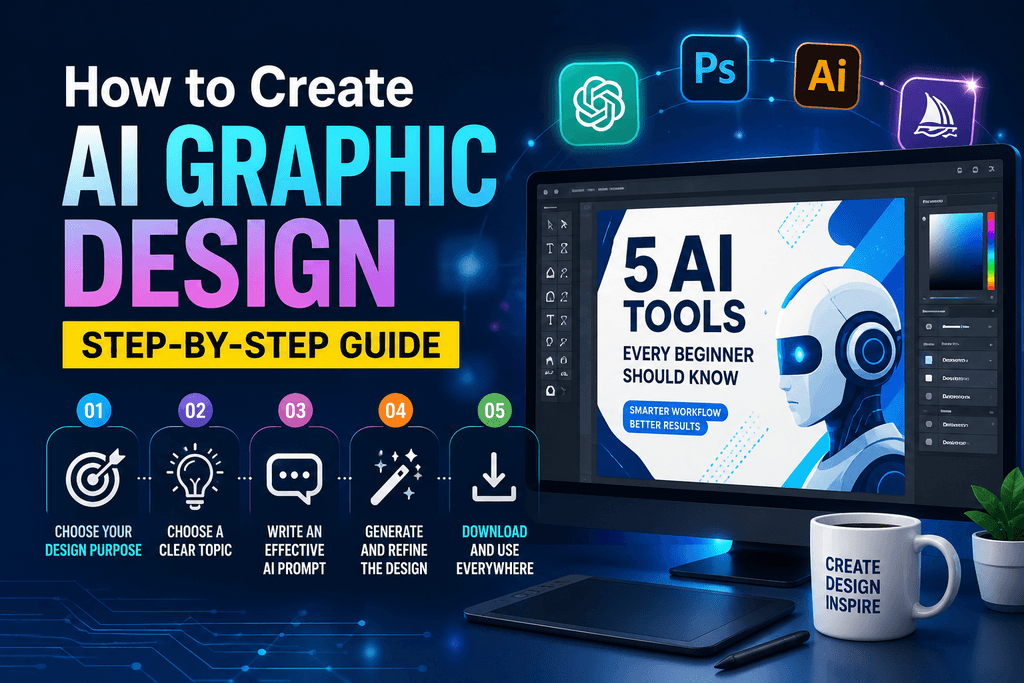
Step 1: Choose Your Design Purpose
First, decide where and how you will use the graphic.
For example, if you are creating a featured image for a WordPress blog post, you may want a horizontal design that clearly represents the article topic.
For an Instagram post, a square format may be more appropriate.
Choose the platform first, then choose the appropriate design size.
Step 2: Choose a Clear Topic
Next, decide exactly what your graphic should communicate.
For example:
“5 AI Tools Every Beginner Should Know”
This topic could be used for a blog image, social media post, or YouTube thumbnail.
Keeping the main message simple can make the design easier for your audience to understand.
Step 3: Write an Effective AI Prompt
Your prompt plays an important role in AI Graphic Design.
A simple prompt could be:
“Create a clean and modern graphic about AI tools for beginners.”
You can make it more specific:
“Create a modern professional social media graphic about 5 AI tools for beginners, with a clean technology background, readable headline area, minimal layout, and professional visual style.”
Useful prompt elements include:
- Subject
- Design style
- Target audience
- Mood
- Layout
- Colour preference
- Text requirements
The more clearly you describe your goal, the more direction you give the AI.
Step 4: Generate and Review the Design
If the AI tool provides multiple design variations, compare them instead of immediately choosing the first result.
Ask yourself:
- Is the headline easy to read?
- Does the design match the topic?
- Is the text large enough?
- Are there too many visual elements?
- Does the design look good on a mobile screen?
- Does the overall design look professional?
Choose the version that communicates your message most clearly.
Step 5: Customize the Design
After generating the initial design, customize it according to your needs.
You can add:
- Your website name
- Logo
- Brand elements
- Call-to-action
- Custom text
- Relevant images
For example, if you are creating graphics for your website, you can add your website name in a subtle and consistent position.
This helps create a recognizable visual identity across your content.
Step 6: Double-Check the Text
AI-generated graphics can sometimes contain spelling mistakes, incorrect information, or unwanted text.
Before exporting the final image, carefully check every important detail.
Pay particular attention to:
- Numbers
- Website names
- Product names
- Headlines
- Dates
- Prices
A quick manual review can prevent simple mistakes from appearing in your published graphic.
Step 7: Save the Graphic in the Right Format
For web content, common image formats include JPG and WebP.
WebP can be useful for websites because it can provide good image quality while helping keep file sizes manageable.
Try to optimize large image files before uploading them to WordPress. Very large images can contribute to slower page loading.
Step 8: Optimize the Image for WordPress SEO
When you upload an image to your WordPress article, add relevant ALT text that accurately describes the image.
For example, if the image genuinely represents the topic, you could use:
ALT Text:AI Graphic Design for beginners
Do not force the same keyword into every image ALT attribute. The ALT text should primarily describe the image accurately and naturally.
Benefits of AI Graphic Design
AI Graphic Design can provide several benefits for beginners, bloggers, marketers, and content creators.
Save Time
AI can speed up the initial design process and help reduce the time required for repetitive design tasks.
Easy for Beginners
People without advanced graphic design experience can use AI-assisted tools, templates, and editing features to start creating visual content.
Generate More Ideas
AI can help you explore different visual concepts and variations without having to manually create every version from scratch.
Useful for Content Creators
Bloggers, YouTubers, social media managers, and small businesses can use AI-assisted design workflows to create graphics for their content and marketing activities.
Limitations of AI Graphic Design
AI is useful, but it does not guarantee a perfect design every time.
You may sometimes encounter:
- Incorrect text
- Unbalanced layouts
- Unwanted visual elements
- Inconsistent branding
- Unrealistic images
- Designs that do not match your original idea
For this reason, it is better to think of AI as a design assistant rather than a complete replacement for human creativity and judgment.
The best results often come from combining AI assistance with human editing.
Things to Consider When Using AI Graphic Design
Check Copyright and Licensing
If you plan to use an AI-generated graphic for commercial purposes, check the current terms of service, licensing rules, and usage rights of the AI tool you are using.
Be particularly careful when using logos, trademarks, celebrity images, copyrighted characters, or other protected content.
Do Not Publish AI Designs Without Reviewing Them
Always review the output before publishing it.
Make sure the design is accurate, readable, relevant to your audience, and consistent with your brand.
Focus on Quality
Publishing a large number of low-quality graphics is not necessarily better than publishing fewer, more useful visuals.
Focus on creating graphics that actually help your readers understand or engage with your content.
How Can Beginners Learn AI Graphic Design?
You do not need to start with complicated projects.
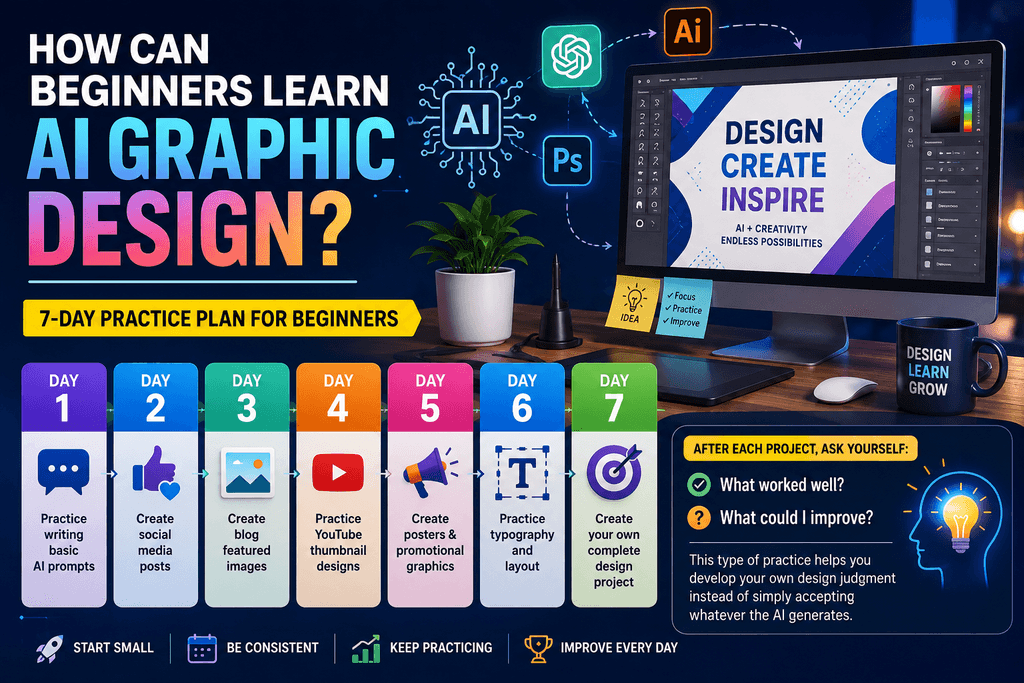
A simple seven-day practice plan can help you build confidence:
Day 1: Practice writing basic AI prompts
Day 2: Create social media posts
Day 3: Create blog featured images
Day 4: Practice YouTube thumbnail designs
Day 5: Create posters and promotional graphics
Day 6: Practice typography and layout
Day 7: Create your own complete design project
After each project, ask yourself:
What worked well? What could I improve?
This type of practice helps you develop your own design judgment instead of simply accepting whatever the AI generates.
Frequently Asked Questions About AI Graphic Design
Do I Need to Be a Professional Designer to Use AI Graphic Design?
Before using an AI design platform, check its official features and usage guidelines to understand how the tool works.
No. Beginners can use AI-assisted design tools to create basic graphics. However, learning fundamentals such as typography, spacing, contrast, composition, and visual hierarchy can help you create better designs.
Is AI Graphic Design Free?
Some AI design platforms offer free features, while advanced tools, premium templates, additional generations, or higher usage limits may require payment.
Because pricing and features can change, always check the tool’s official website for the latest information before subscribing.
Can I Use AI-Generated Graphics on My Blog?
In many cases, AI-generated graphics can be used for online content, but the exact rights depend on the tool and how the image was created.
Always check the current terms and commercial-use conditions of the specific AI platform you use.
Can I Make Money With AI Graphic Design?
Yes, AI-assisted graphic design can be used as part of services such as social media graphics, YouTube thumbnails, blog visuals, promotional designs, and freelance projects.
However, AI does not guarantee income. Your design quality, creativity, communication skills, ability to find clients, and understanding of the market all matter.
Conclusion
AI Graphic Design is changing the way beginners and content creators approach visual content. Instead of spending a long time creating every element manually, you can use AI to generate ideas, explore design concepts, and speed up parts of the creative process.
However, the best approach is not to depend completely on AI.
A strong workflow combines AI assistance + human creativity + manual editing + quality checking.
If you are a beginner, start with something simple such as a social media post or blog featured image. Write a clear prompt, generate a few ideas, review the results, make your own edits, and check the final design before publishing.
With regular practice, you can gradually improve your AI Graphic Design skills and create more useful, professional-looking visual content for your blog, social media, or online business.